Game Abandon Template
The Abandoned Game use cases enable you to target website visitors who abandon playing a game. These visitors will receive targeted communications encouraging them to complete their actions, offering incentives such as extra game levels. Additionally, each step of the process is tracked so we know where in the game the visitor is at and use this information in communications and targeting.
To be able to track the behavior of the visitor and to detect when a specific action has started, stopped or completed, the following events are tracked and sent as signals to the Moments application: Start, Update and Complete. These signals are picked up by the Game Abandon Moment.
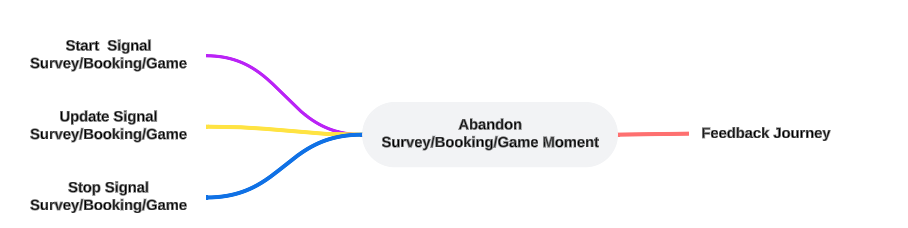
When setting up a Game Abandon Moment, the following specific properties need to be set (Check out the topic on creating a Moment for more details.):

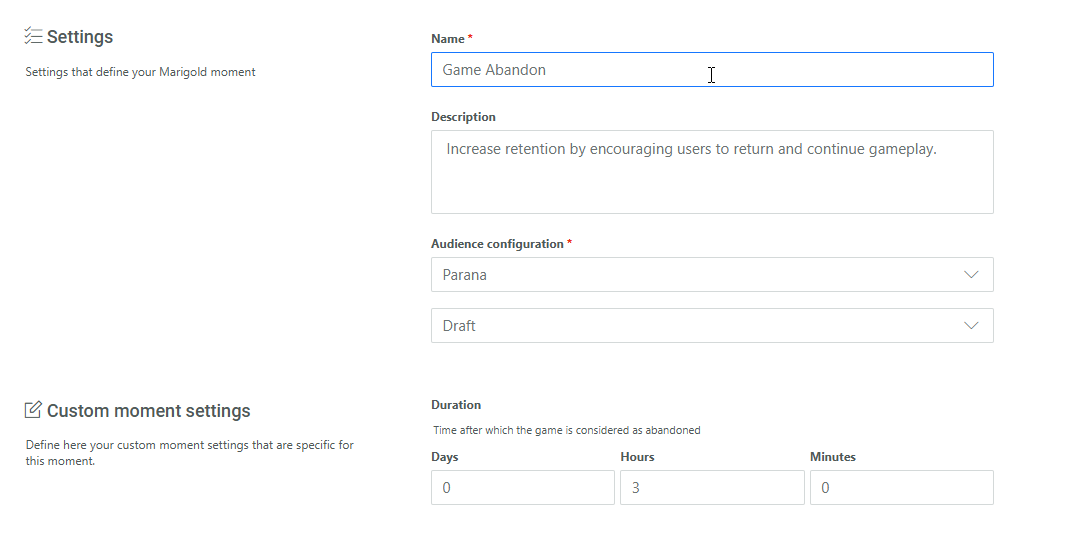
Duration — Indicates the number of days, hours or minutes that need to pass after a customer started the game but did not complete it.
Example: At 14h, a customer starts playing a game. An hour later the game has not been completed and no updates have been made on the game. The Game Abandon Moment is triggered.
Example:
First create the Game Abandon Moment and fill out the name, description and select the Audience configuration to apply to this Moment.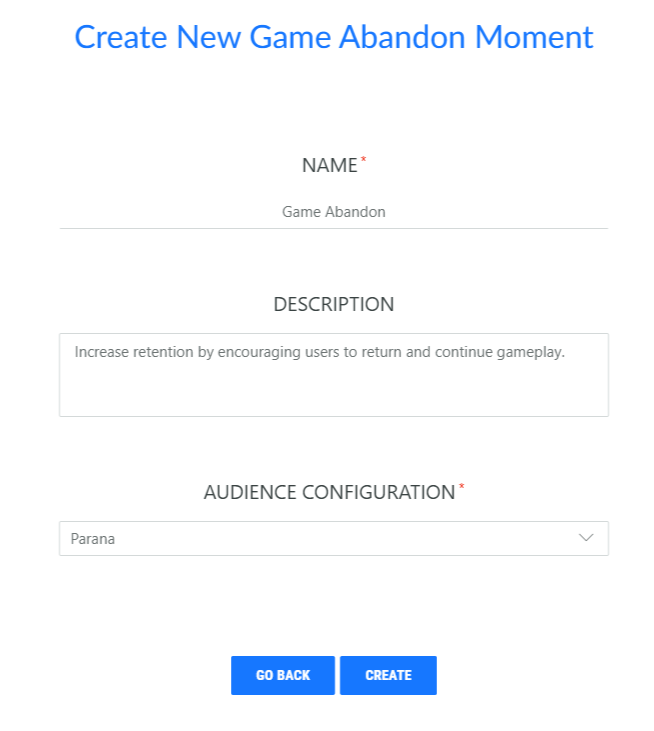
Next, in the properties, set the time delay after which the game is considered as abandoned and the Moment is triggered, for example after 2 days of inactivity on the game.